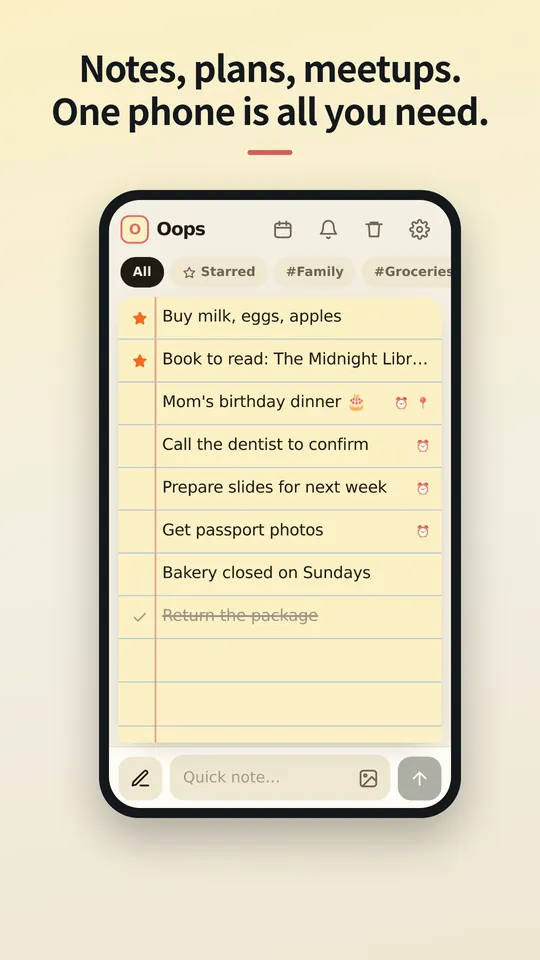
نوٹس، منصوبے، ملاقاتیں۔ بس ایک فون کافی ہے۔
انہیں کلاؤڈ پر نہ چڑھائیں۔ آلات کے درمیان سنک نہ کریں۔ سب سے محفوظ جگہ وہ فون ہے جو پہلے ہی آپ کے ہاتھ میں ہے۔ نوٹس اور شیڈول، شیئر کیے گئے منصوبے اور راستے، بیک اپ اور بحالی: سب کچھ OopsMemo میں رکھیں، آپ کے فون کے اندر بند، آپ کی اپنی تجوری۔
iPhone ورژن جلد آ رہا ہے۔
جیسے ہی خیال آئے، لکھ لیں۔
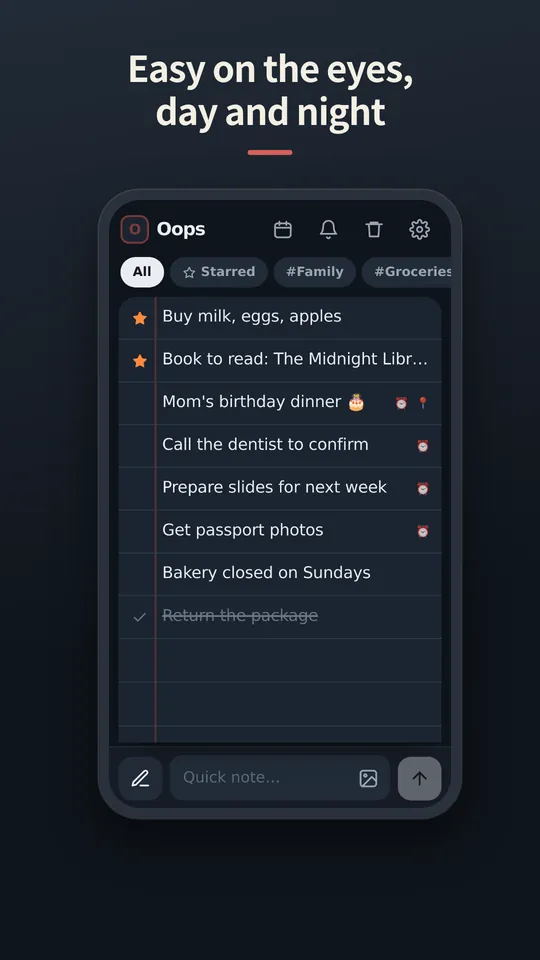
نیچے ایک ہی بار دونوں کام کرتا ہے: نوٹ شامل کرنے کے لیے لکھیں، تلاش کے لیے قلم پر ٹیپ کریں۔ کی بورڈ کھلتے ہی سب کچھ اس کے ساتھ اوپر ہو جاتا ہے۔
دائیں سوائپ کریں تو ستارہ۔ بائیں سوائپ کریں تو کاٹ دیں۔
کٹے ہوئے نوٹ کو ایک بار اور سوائپ کریں تو وہ ردی کی ٹوکری میں چلا جاتا ہے۔ ارادہ بدل گیا؟ الٹی طرف سوائپ کریں اور ایک قدم پیچھے جائیں۔
تصویریں نوٹ کے اندر ہی رہتی ہیں۔
گیلری سے تصویریں لگائیں یا پیسٹ کریں۔ پوسٹ کرنے سے پہلے آپ دیکھ لیتے ہیں کہ کیا تیار ہے، اور ایک ٹیپ سے کوئی بھی تصویر پوری اسکرین پر کھل جاتی ہے، چٹکی سے زوم کے ساتھ۔
آپ کے فون پر محفوظ۔ اور کہیں نہیں۔
نوٹس اور تصویریں آپ کے آلے پر ایپ کے اندر فائلوں کی صورت میں محفوظ رہتی ہیں۔ نہ سائن ان ہے نہ سنک، اس لیے سرور پر کسی کے پڑھنے کے لیے کچھ نہیں۔
نیا فون؟ بس ایک فائل ساتھ لے جائیں۔
بیک اپ فائل ایکسپورٹ کریں، جیسے چاہیں خود کو بھیجیں، اور نئے فون پر بحال کر لیں۔ حذف شدہ نوٹس 30 دن ردی کی ٹوکری میں رہتے ہیں، پھر ہمیشہ کے لیے مٹ جاتے ہیں۔
آپ کی زبان میں۔
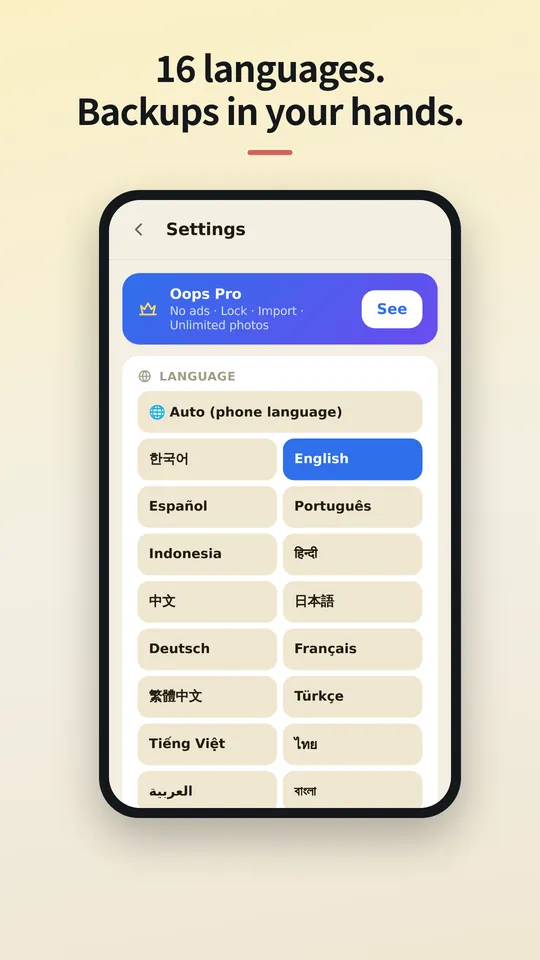
OopsMemo کئی زبانیں بولتا ہے اور آپ کے فون کی زبان کے مطابق چلتا ہے۔ یہاں اپنی زبان چنیں، یا ایپ میں کبھی بھی بدل لیں۔
Let us be honest first
- Genuinely usable for free
Notes, photos, categories, search, plan sharing, maps, backup, voice memo, hands-free, up to 5 reminders. No sign-up, no card, no trial that locks you out later.
- There is one ad
One banner at the bottom of the free version. Google uses device info such as the advertising ID to show it. Your notes are never used for ads or sent anywhere.
- Pro buys convenience
No ads · app lock · unlimited reminders. Monthly, yearly or a one-time lifetime purchase, priced in your store. Only if you like it.
- The only times it goes online
Ads (free version), purchase check, finding a place on the map, speech-to-text (your phone’s speech service), feedback (only when you send it). There is no server for notes at all.
- Doubt it? Use airplane mode
Writing, search, photos, reminders and backup all keep working. Speech-to-text and maps may need a connection.
- The flip side
There is no cloud copy. If you lose your phone, your backup file is the only way back. Please keep one.
- Hands-free differs a little by phone
Hands-free uses your phone’s own speech recognition, so when it starts listening and how long it waits vary by device, and the app can’t control that. Have an idea to make it better? Send it via Support › Send feedback. Any language is welcome, and we read every message. Friends around the world, we’d love your help.



The cloud you once agreed to — do you know what it still keeps, and for how many years?
OopsMemo never uploads anything in the first place. Your notes live only on your phone.
No need to open the app. Right from your home screen.
With one home screen widget, you jot it down the moment it comes to mind. Just three buttons.
- One widget on your home screen
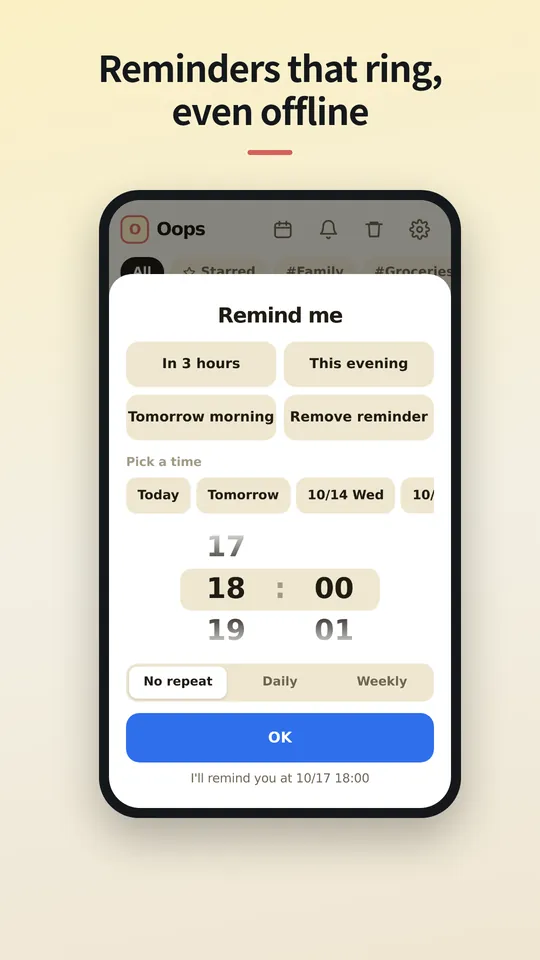
No hunting for the app. The widget has three buttons: new note · 🎤 · 🎧. There is also a widget that shows your upcoming plans.
- + New note: write right away
Tap it and a new note opens, ready to write. Type, close, done.
- 🎤 Voice memo: free for everyone
Tap and speak; it is written down as text. For busy hands or ideas on the go.
- 🎧 Hands-free: no need to look
A voice asks, you answer, and the note is saved with its reminder time. Free for everyone.
- How to add the widget
Long-press an empty spot on your home screen → Widgets → OopsMemo → drop it where you like. Menu names vary a little by phone.
Free. The only ad is one strip at the very bottom.
Everything you need for notes is free. Here is exactly where the ad shows, and where it never does.
- At the bottom, and only there
The free version has one banner strip at the very bottom of the screen. The app moves up by its height, so it never covers your notes or the input bar.
- It disappears while you type
Tap the input bar and the keyboard comes up: the ad hides. There is no ad on the lock screen or the map either.
- Nothing ever covers your screen
Ads that pop up mid-task are the worst. OopsMemo has none of these:
- No full-screen ads
- No videos you must watch to continue
- No ads when the app opens
- No ads in reminders or widgets
- A small favor for the maker
The ad sits only where it will not get in your way. Please bear with it so the app can keep improving. Do not want ads? Pro removes them instantly.
مفت
ہمیشہ مفت
- لامحدود نوٹس اور تلاش
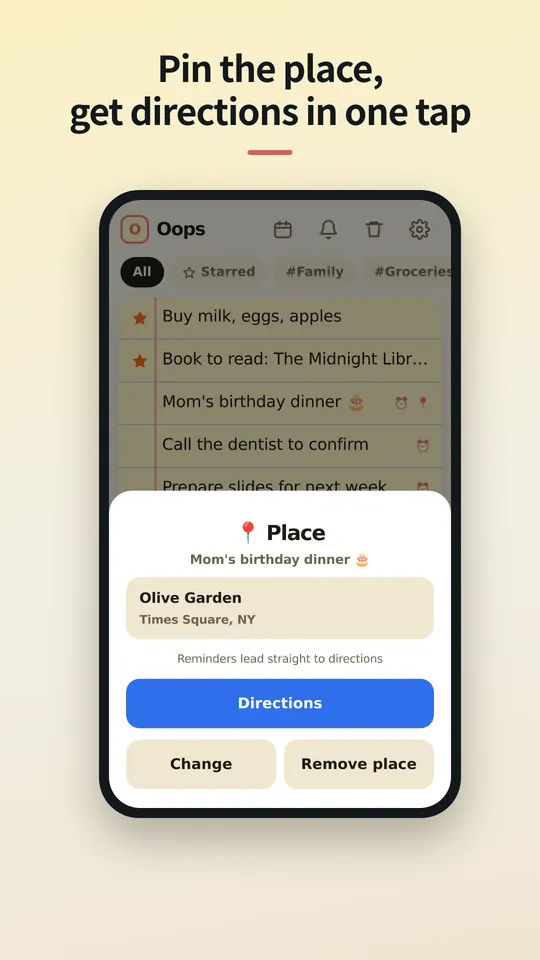
- لنک سے شیئر اور ایک ٹیپ پر راستہ
- 5 تک یاد دہانیاں، 24 گھنٹے کی اطلاعات کی تاریخ
- دوسری میمو ایپس سے لامحدود امپورٹ
- لامحدود تصویریں اور زمرے
- بیک اپ اور بحالی
- آواز والے نوٹس اور ہینڈز فری (فون؛ PC جلد)
Pro
ماہانہ، سالانہ یا تاحیات — آپ کے ملک کی قیمت پر، آپ کے ایپ اسٹور میں۔
- کوئی اشتہار نہیں
- لامحدود یاد دہانیاں اور اطلاعات کی مکمل تاریخ
- PIN سے ایپ لاک
- طے کریں کہ ردی کی ٹوکری نوٹس کتنے دن رکھے
سوالات
میرے نوٹس کہاں محفوظ ہوتے ہیں؟
صرف آپ کے فون پر، ایپ کی اپنی اسٹوریج میں۔ ایپ ان انسٹال کریں گے تو نوٹس بھی ساتھ چلے جائیں گے، اس لیے پہلے بیک اپ ایکسپورٹ کر لیں۔
جسے میں شیئر کروں، کیا اسے ایپ چاہیے؟
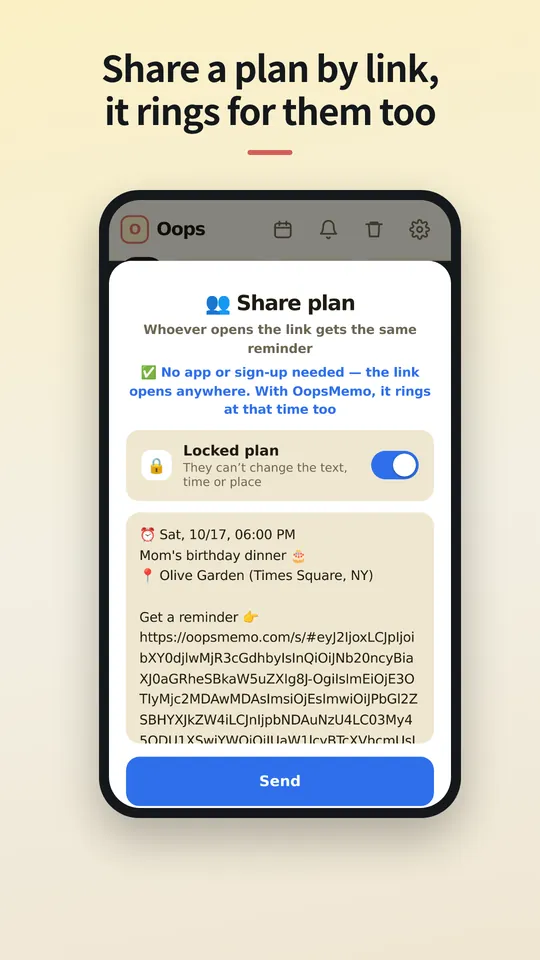
نہیں۔ لنک کسی بھی براؤزر میں کھلتا ہے، جہاں وہ وقت اور جگہ دیکھ سکتے ہیں، کیلنڈر میں شامل کر سکتے ہیں اور راستہ لے سکتے ہیں۔ اگر ان کے پاس OopsMemo ہے تو یاد دہانی اسی وقت ان کے فون پر بھی بجتی ہے۔
کیا مجھے اکاؤنٹ چاہیے؟
نہیں۔ Pro اسی اسٹور اکاؤنٹ سے جڑا ہوتا ہے جس سے آپ نے خریدا (Google Play یا App Store) اور نئے فون پر واپس آ جاتا ہے۔ چونکہ سائن ان نہیں ہے، Android Pro اور iPhone Pro ایک دوسرے میں منتقل نہیں ہو سکتے۔
اشتہار کیوں ہے؟
ایک چھوٹا بینر OopsMemo کو سب کے لیے مفت رکھتا ہے۔ Pro اسے ہٹا دیتا ہے۔
کیا میں دوسری ایپس سے نوٹس لا سکتا ہوں؟
جی ہاں۔ OopsMemo زیادہ تر میمو ایپس کی ایکسپورٹ فائلیں پڑھ لیتا ہے: ٹیکسٹ، CSV، JSON، Evernote (ENEX) اور ZIP۔ مفت، بغیر کسی حد کے۔
کیا iPhone ورژن ہے؟
جلد۔ ہم اسے مکمل کر رہے ہیں، Pro سمیت۔
ایپ دیکھیں
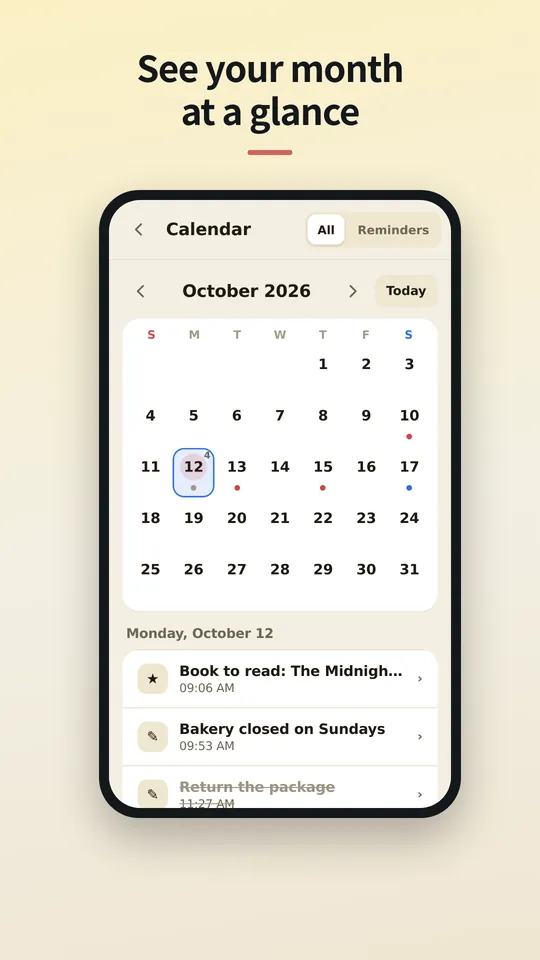
اردو میں اسکرینیں جلد۔ فی الحال انگریزی میں دکھائی گئی ہیں۔
Coming soon
Wrapping up, Pro included. We'll write the date here first — we're a notes app, after all.
We've started building it. We'll share a date once we're sure.