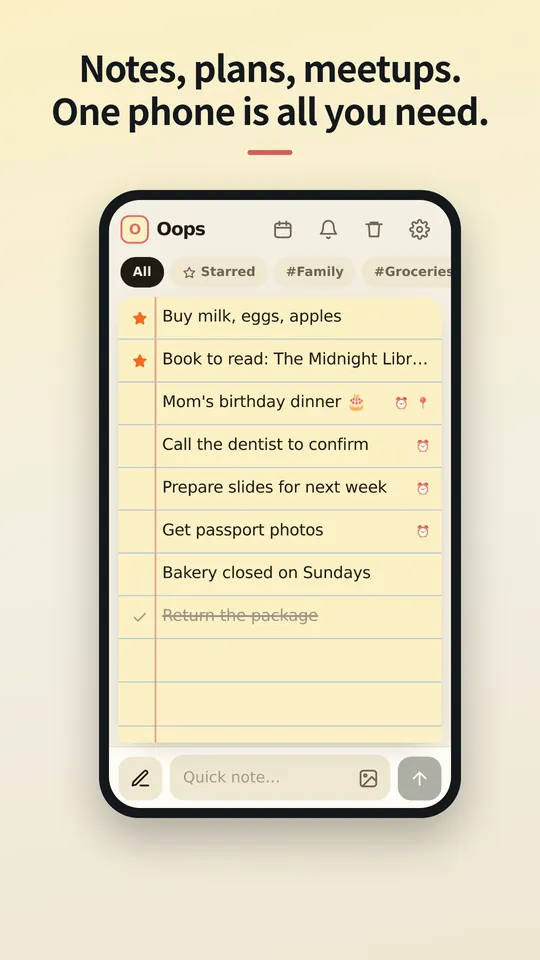
Mga tala, plano, pagkikita. Isang telepono lang ang kailangan mo.
Huwag i-upload sa cloud. Huwag i-sync sa ibang device. Ang pinakaligtas na lugar ay ang teleponong hawak mo na. Mga tala at iskedyul, ibinahaging plano at direksyon, backup at pagbabalik: itago lahat sa OopsMemo, nakakandado sa loob ng telepono mo, ang sarili mong vault.
Malapit na ang bersyon para sa iPhone.
Isulat agad sa sandaling pumasok sa isip.
Isang bar sa ibaba ang gumagawa ng dalawang trabaho: mag-type para magdagdag ng tala, i-tap ang panulat para maghanap. Kapag bumukas ang keyboard, sumasabay na umaangat ang lahat.
I-swipe pakanan para lagyan ng bituin. Pakaliwa para i-ekis.
I-swipe pa minsan ang naka-ekis na tala at mapupunta ito sa basurahan. Nagbago ang isip? I-swipe sa kabilang direksyon para bumalik ng isang hakbang.
Nasa loob ng tala ang mga larawan.
Maglakip ng larawan mula sa gallery o i-paste ito. Nakikita mo ang naghihintay bago mo i-post, at isang tap ang nagbubukas ng kahit anong larawan nang buong screen na may pinch zoom.
Naka-save sa telepono mo. Wala nang iba.
Ang mga tala at larawan ay nakaimbak bilang mga file sa loob ng app sa device mo. Walang sign-in at walang sync, kaya walang anuman sa server na mababasa ng kahit sino.
Bagong telepono? Isang file lang ang dalhin.
Mag-export ng backup file, ipadala sa sarili mo sa kahit anong paraan, at i-restore sa bagong telepono. Ang mga binurang tala ay naghihintay sa basurahan nang 30 araw, pagkatapos ay tuluyan nang mawawala.
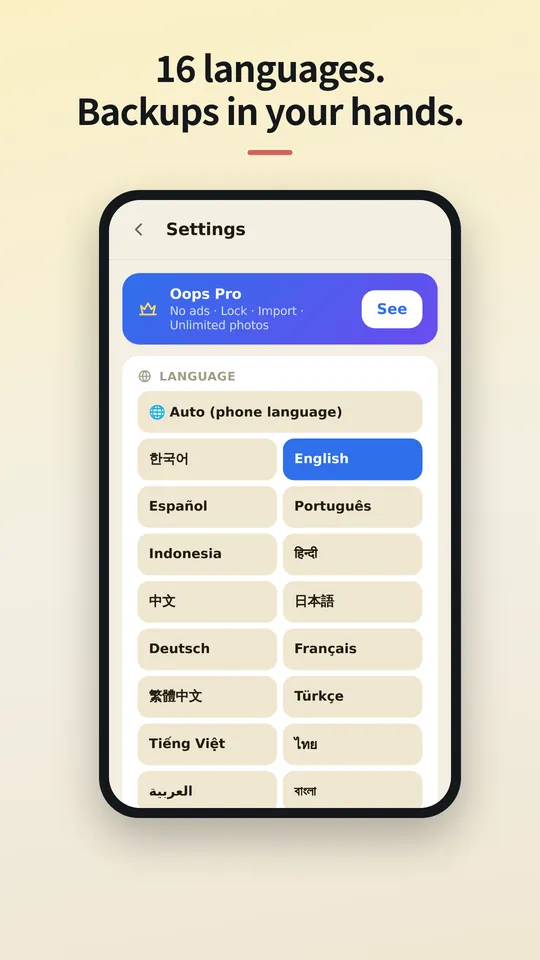
Sa wika mo.
Maraming wika ang OopsMemo at sumusunod ito sa wika ng telepono mo. Piliin ang iyo dito, o palitan anumang oras sa app.
Let us be honest first
- Genuinely usable for free
Notes, photos, categories, search, plan sharing, maps, backup, voice memo, hands-free, up to 5 reminders. No sign-up, no card, no trial that locks you out later.
- There is one ad
One banner at the bottom of the free version. Google uses device info such as the advertising ID to show it. Your notes are never used for ads or sent anywhere.
- Pro buys convenience
No ads · app lock · unlimited reminders. Monthly, yearly or a one-time lifetime purchase, priced in your store. Only if you like it.
- The only times it goes online
Ads (free version), purchase check, finding a place on the map, speech-to-text (your phone’s speech service), feedback (only when you send it). There is no server for notes at all.
- Doubt it? Use airplane mode
Writing, search, photos, reminders and backup all keep working. Speech-to-text and maps may need a connection.
- The flip side
There is no cloud copy. If you lose your phone, your backup file is the only way back. Please keep one.
- Hands-free differs a little by phone
Hands-free uses your phone’s own speech recognition, so when it starts listening and how long it waits vary by device, and the app can’t control that. Have an idea to make it better? Send it via Support › Send feedback. Any language is welcome, and we read every message. Friends around the world, we’d love your help.



The cloud you once agreed to — do you know what it still keeps, and for how many years?
OopsMemo never uploads anything in the first place. Your notes live only on your phone.
No need to open the app. Right from your home screen.
With one home screen widget, you jot it down the moment it comes to mind. Just three buttons.
- One widget on your home screen
No hunting for the app. The widget has three buttons: new note · 🎤 · 🎧. There is also a widget that shows your upcoming plans.
- + New note: write right away
Tap it and a new note opens, ready to write. Type, close, done.
- 🎤 Voice memo: free for everyone
Tap and speak; it is written down as text. For busy hands or ideas on the go.
- 🎧 Hands-free: no need to look
A voice asks, you answer, and the note is saved with its reminder time. Free for everyone.
- How to add the widget
Long-press an empty spot on your home screen → Widgets → OopsMemo → drop it where you like. Menu names vary a little by phone.
Free. The only ad is one strip at the very bottom.
Everything you need for notes is free. Here is exactly where the ad shows, and where it never does.
- At the bottom, and only there
The free version has one banner strip at the very bottom of the screen. The app moves up by its height, so it never covers your notes or the input bar.
- It disappears while you type
Tap the input bar and the keyboard comes up: the ad hides. There is no ad on the lock screen or the map either.
- Nothing ever covers your screen
Ads that pop up mid-task are the worst. OopsMemo has none of these:
- No full-screen ads
- No videos you must watch to continue
- No ads when the app opens
- No ads in reminders or widgets
- A small favor for the maker
The ad sits only where it will not get in your way. Please bear with it so the app can keep improving. Do not want ads? Pro removes them instantly.
Libre
Laging libre
- Walang limitasyong mga tala at paghahanap
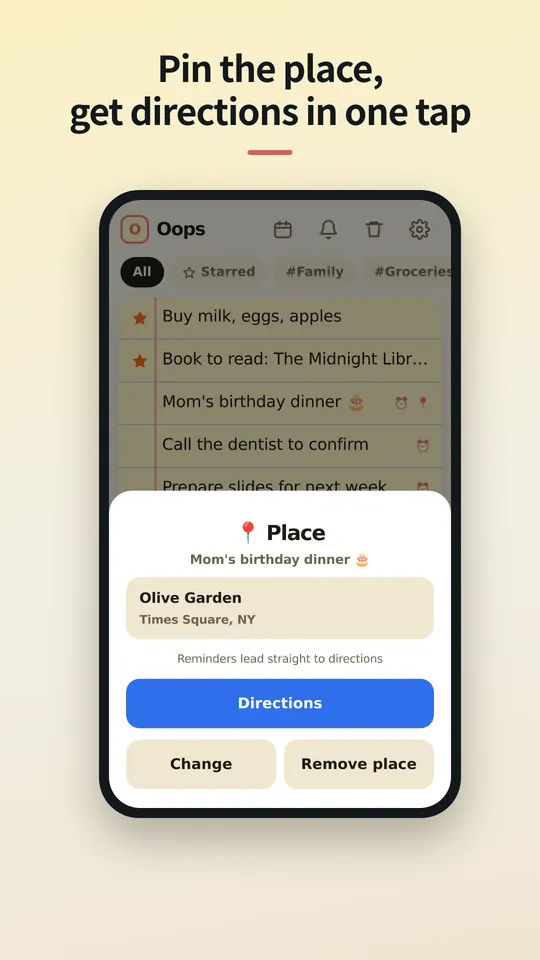
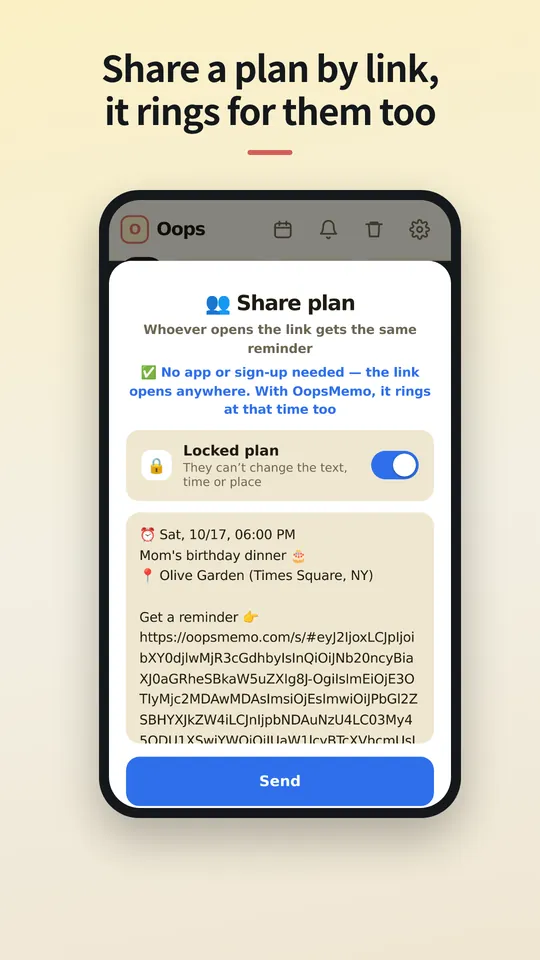
- Pagbabahagi sa pamamagitan ng link at direksyon sa isang tap
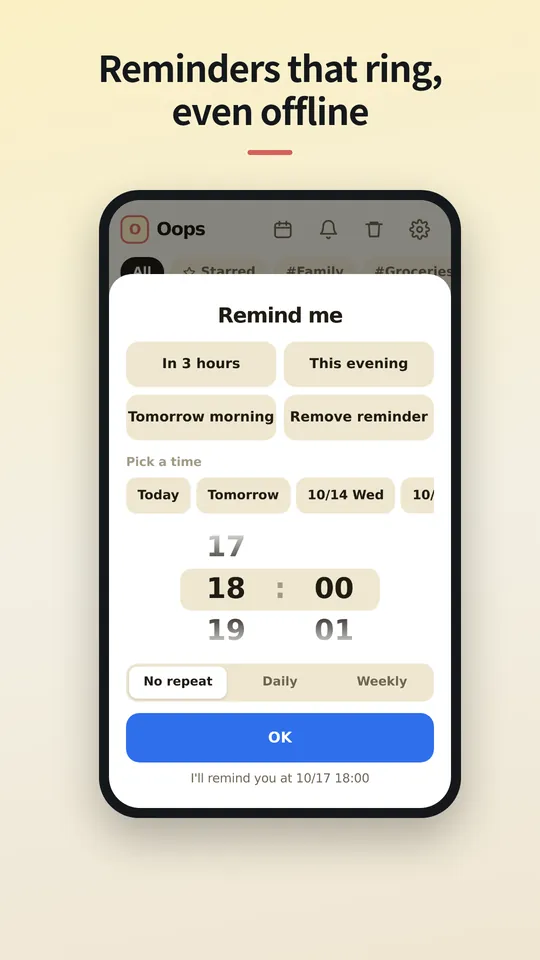
- Hanggang 5 paalala, 24 na oras na kasaysayan ng notification
- Walang limitasyong pag-import mula sa ibang memo app
- Walang limitasyong mga larawan at kategorya
- Backup at pagbabalik
- Mga voice note at hands-free (telepono; paparating sa PC)
Pro
Buwanan, taunan o panghabambuhay, na may presyo para sa bansa mo sa iyong app store.
- Walang ads
- Walang limitasyong paalala at buong kasaysayan ng notification
- App lock na may PIN
- Piliin kung gaano katagal itatago ng basurahan ang mga tala
Mga tanong
Saan nakaimbak ang mga tala ko?
Sa telepono mo lang, sa sariling storage ng app. Kapag in-uninstall mo ang app, kasama itong mawawala, kaya mag-export muna ng backup.
Kailangan ba ng app ng taong pinagbahagian ko?
Hindi. Bumubukas ang link sa kahit anong browser, kung saan makikita nila ang oras at lugar, maidaragdag ito sa kanilang kalendaryo at makakakuha ng direksyon. Kung mayroon silang OopsMemo, tutunog ang paalala sa telepono nila sa parehong oras.
Kailangan ko ba ng account?
Hindi. Nakatali ang Pro sa account ng store na pinagbilhan mo (Google Play o App Store) at bumabalik ito sa bagong telepono. Dahil walang sign-in, hindi maililipat sa isa't isa ang Android Pro at iPhone Pro.
Bakit may ad?
Isang maliit na banner ang nagpapanatiling libre ng OopsMemo para sa lahat. Inaalis ito ng Pro.
Maaari ko bang dalhin ang mga tala mula sa ibang app?
Oo. Binabasa ng OopsMemo ang mga export file na ginagawa ng karamihan sa mga memo app: text, CSV, JSON, Evernote (ENEX) at ZIP. Libre, walang limitasyon.
May bersyon ba para sa iPhone?
Malapit na. Tinatapos na namin ito, kasama ang Pro.
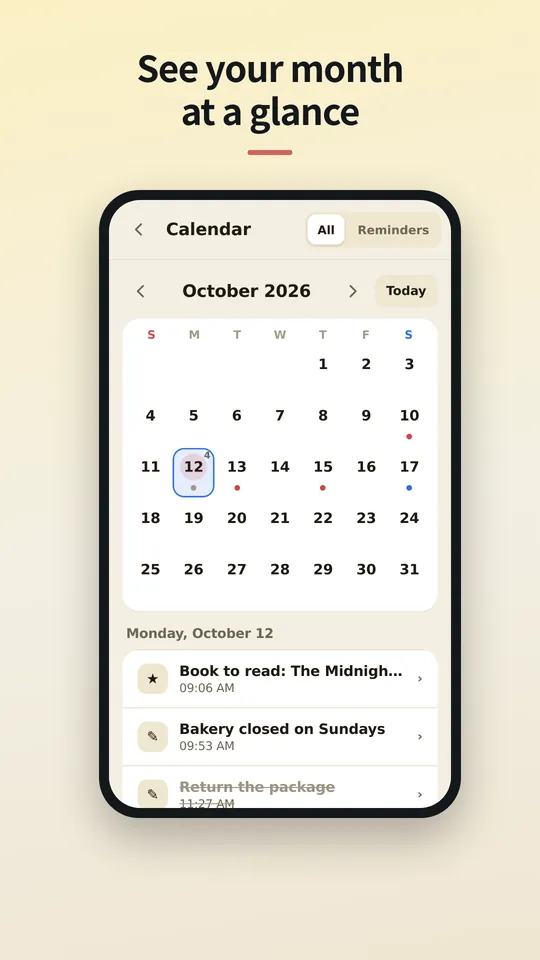
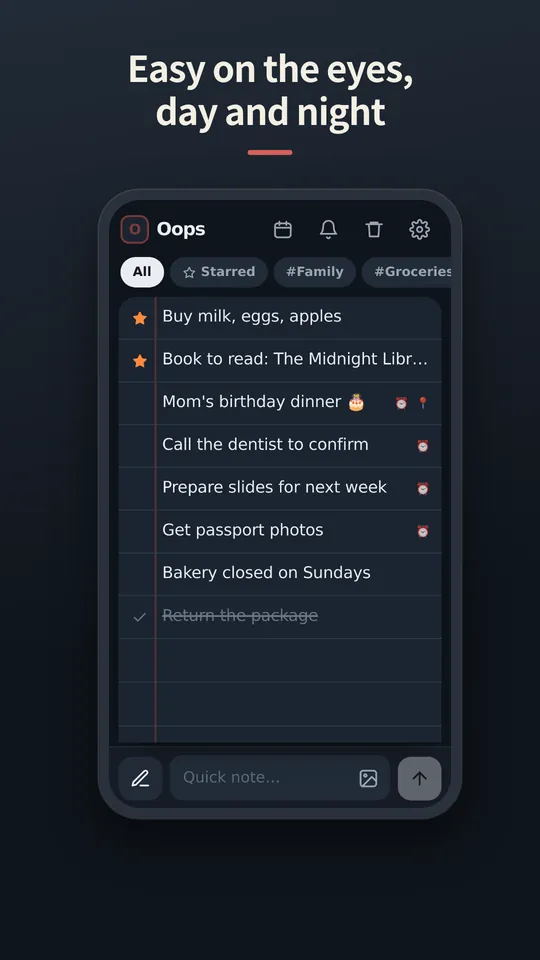
Tingnan ang app
Malapit na ang mga screen sa Filipino. Pansamantalang nasa Ingles.
Coming soon
Wrapping up, Pro included. We'll write the date here first — we're a notes app, after all.
We've started building it. We'll share a date once we're sure.