Appunti, piani, incontri. Ti basta un solo telefono.
Non caricarli nel cloud. Non sincronizzarli tra dispositivi. Il posto più sicuro è il telefono che hai già in mano. Appunti e impegni, piani condivisi e indicazioni, backup e ripristino: tieni tutto con OopsMemo, chiuso nel tuo telefono, la tua cassaforte.
La versione per iPhone arriva presto.
Scrivilo nel momento in cui ti viene in mente.
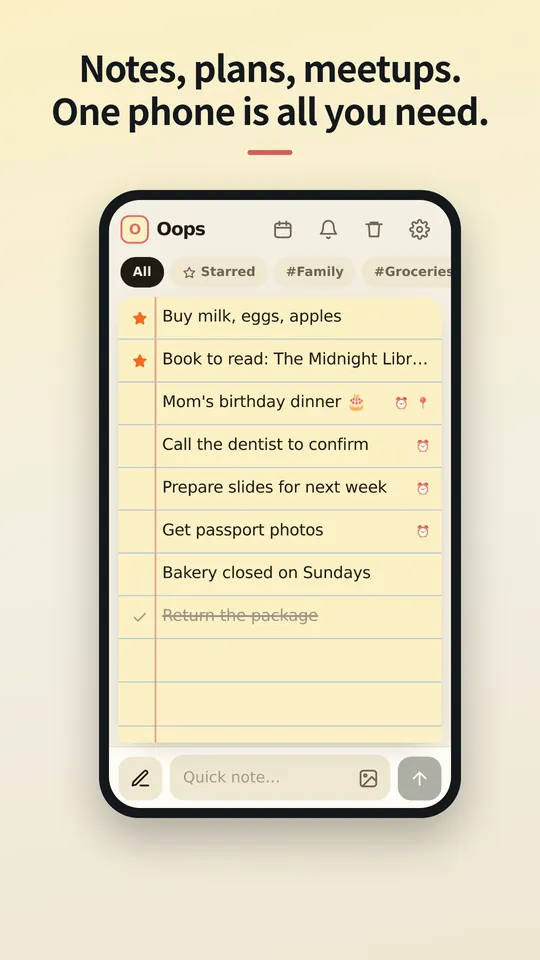
Una sola barra in basso fa entrambe le cose: scrivi per aggiungere una nota, tocca la penna per cercare. Quando si apre la tastiera, tutto sale insieme a lei.
Scorri a destra per i preferiti. Scorri a sinistra per barrare.
Scorri ancora una nota barrata e va nel cestino. Hai cambiato idea? Scorri dall'altra parte per tornare indietro di un passo.
Le foto vivono dentro la nota.
Allega foto dalla galleria o incollale. Vedi cosa è in attesa prima di salvare la nota, e con un tocco ogni foto si apre a schermo intero con zoom a pizzico.
Salvato sul tuo telefono. In nessun altro posto.
Note e foto sono archiviate come file dentro l'app sul tuo dispositivo. Non c'è accesso né sincronizzazione, quindi non c'è nulla su un server che qualcuno possa leggere.
Telefono nuovo? Porta con te un solo file.
Esporta un file di backup, mandalo a te stesso come preferisci e ripristinalo sul telefono nuovo. Le note eliminate restano nel cestino per 30 giorni, poi spariscono per sempre.
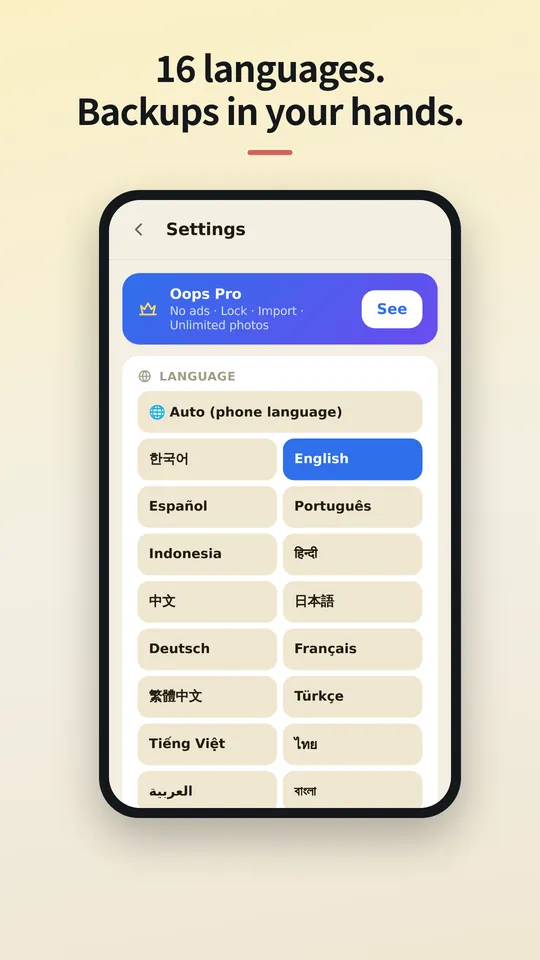
Nella tua lingua.
OopsMemo parla molte lingue e segue la lingua del tuo telefono. Scegli la tua qui, o cambiala quando vuoi nell'app.
Let us be honest first
- Genuinely usable for free
Notes, photos, categories, search, plan sharing, maps, backup, voice memo, hands-free, up to 5 reminders. No sign-up, no card, no trial that locks you out later.
- There is one ad
One banner at the bottom of the free version. Google uses device info such as the advertising ID to show it. Your notes are never used for ads or sent anywhere.
- Pro buys convenience
No ads · app lock · unlimited reminders. Monthly, yearly or a one-time lifetime purchase, priced in your store. Only if you like it.
- The only times it goes online
Ads (free version), purchase check, finding a place on the map, speech-to-text (your phone’s speech service), feedback (only when you send it). There is no server for notes at all.
- Doubt it? Use airplane mode
Writing, search, photos, reminders and backup all keep working. Speech-to-text and maps may need a connection.
- The flip side
There is no cloud copy. If you lose your phone, your backup file is the only way back. Please keep one.
- Hands-free differs a little by phone
Hands-free uses your phone’s own speech recognition, so when it starts listening and how long it waits vary by device, and the app can’t control that. Have an idea to make it better? Send it via Support › Send feedback. Any language is welcome, and we read every message. Friends around the world, we’d love your help.



The cloud you once agreed to — do you know what it still keeps, and for how many years?
OopsMemo never uploads anything in the first place. Your notes live only on your phone.
No need to open the app. Right from your home screen.
With one home screen widget, you jot it down the moment it comes to mind. Just three buttons.
- One widget on your home screen
No hunting for the app. The widget has three buttons: new note · 🎤 · 🎧. There is also a widget that shows your upcoming plans.
- + New note: write right away
Tap it and a new note opens, ready to write. Type, close, done.
- 🎤 Voice memo: free for everyone
Tap and speak; it is written down as text. For busy hands or ideas on the go.
- 🎧 Hands-free: no need to look
A voice asks, you answer, and the note is saved with its reminder time. Free for everyone.
- How to add the widget
Long-press an empty spot on your home screen → Widgets → OopsMemo → drop it where you like. Menu names vary a little by phone.
Free. The only ad is one strip at the very bottom.
Everything you need for notes is free. Here is exactly where the ad shows, and where it never does.
- At the bottom, and only there
The free version has one banner strip at the very bottom of the screen. The app moves up by its height, so it never covers your notes or the input bar.
- It disappears while you type
Tap the input bar and the keyboard comes up: the ad hides. There is no ad on the lock screen or the map either.
- Nothing ever covers your screen
Ads that pop up mid-task are the worst. OopsMemo has none of these:
- No full-screen ads
- No videos you must watch to continue
- No ads when the app opens
- No ads in reminders or widgets
- A small favor for the maker
The ad sits only where it will not get in your way. Please bear with it so the app can keep improving. Do not want ads? Pro removes them instantly.
Gratis
Sempre gratis
- Note e ricerca illimitate
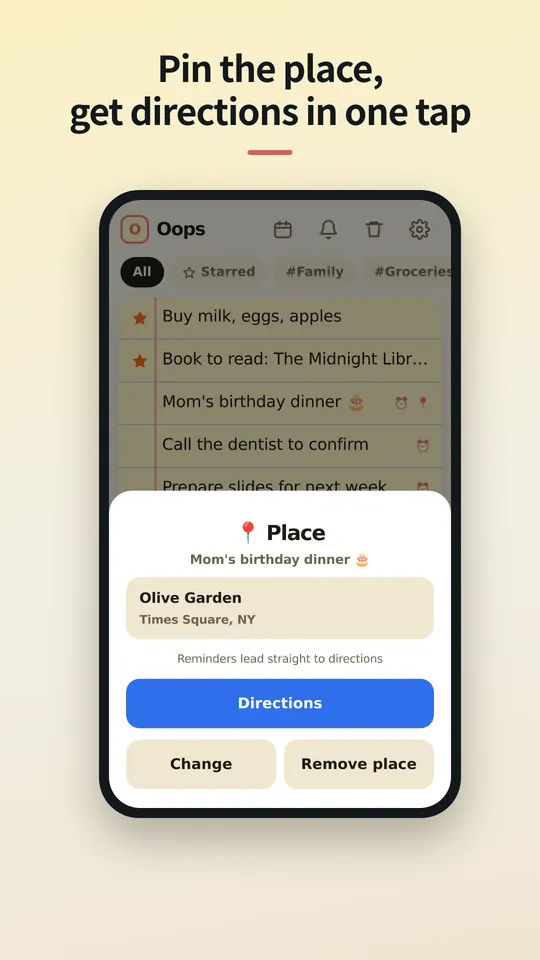
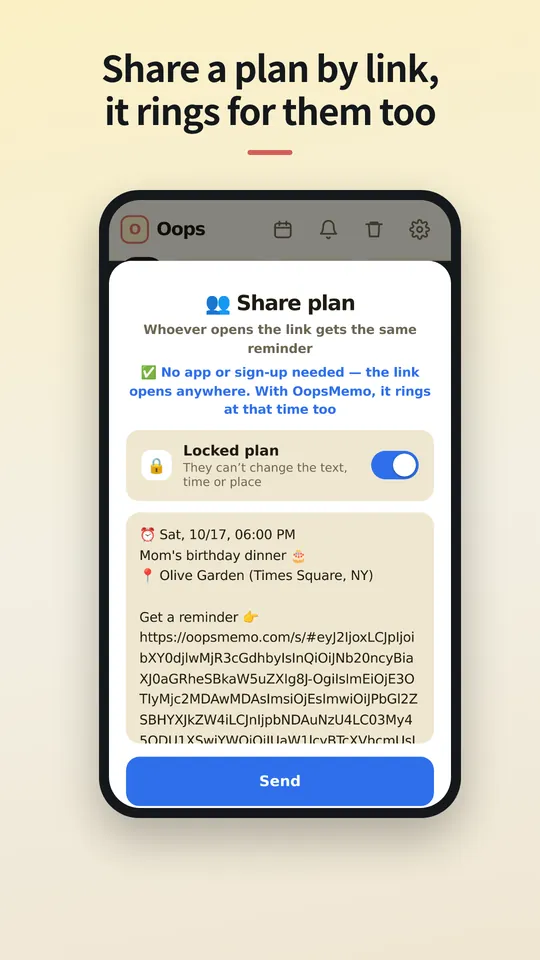
- Condivisione con un link e indicazioni con un tocco
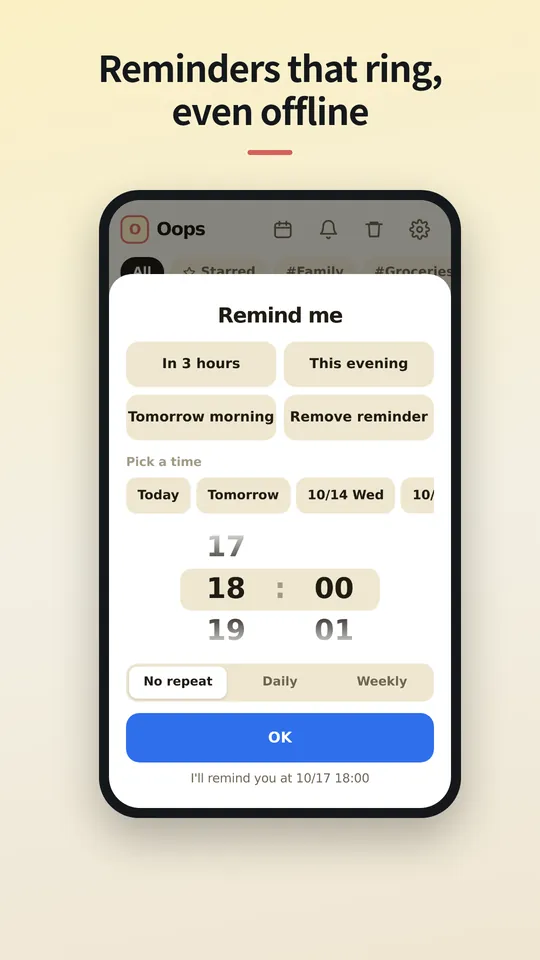
- Fino a 5 promemoria, cronologia notifiche di 24 ore
- Importazione illimitata da altre app di note
- Foto e categorie illimitate
- Backup e ripristino
- Note vocali e modalità a mani libere (telefono; PC in arrivo)
Pro
Mensile, annuale o per sempre, con prezzo per il tuo paese nel tuo app store.
- Nessuna pubblicità
- Promemoria illimitati e cronologia notifiche completa
- Blocco app con PIN
- Scegli per quanto tempo il cestino conserva le note
Domande
Dove sono salvate le mie note?
Solo sul tuo telefono, nella memoria dell'app. Se disinstalli l'app, le note vanno via con lei, quindi esporta prima un backup.
Chi riceve la condivisione deve avere l'app?
No. Il link si apre in qualsiasi browser, dove può vedere ora e luogo, aggiungerlo al calendario e ottenere le indicazioni. Se ha OopsMemo, il promemoria suona sul suo telefono alla stessa ora.
Serve un account?
No. Pro è legato all'account dello store con cui lo hai acquistato (Google Play o App Store) e torna su un telefono nuovo. Senza accesso, Pro per Android e Pro per iPhone non possono essere trasferiti dall'uno all'altro.
Perché c'è una pubblicità?
Un solo piccolo banner mantiene OopsMemo gratuito per tutti. Pro lo toglie.
Posso portare note da altre app?
Sì. OopsMemo legge i file di esportazione della maggior parte delle app di note: testo, CSV, JSON, Evernote (ENEX) e ZIP. Gratis e senza limiti.
Esiste una versione per iPhone?
Presto. La stiamo rifinendo, Pro incluso.
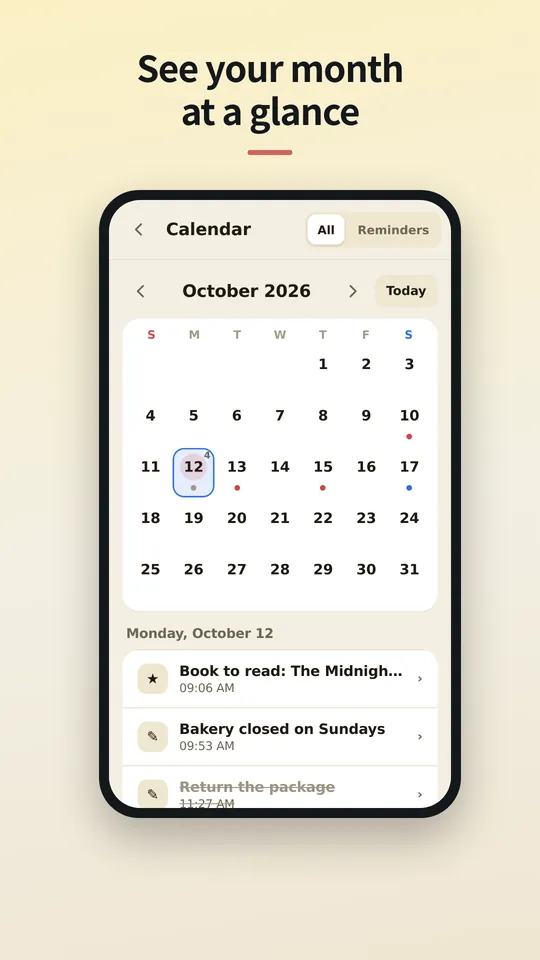
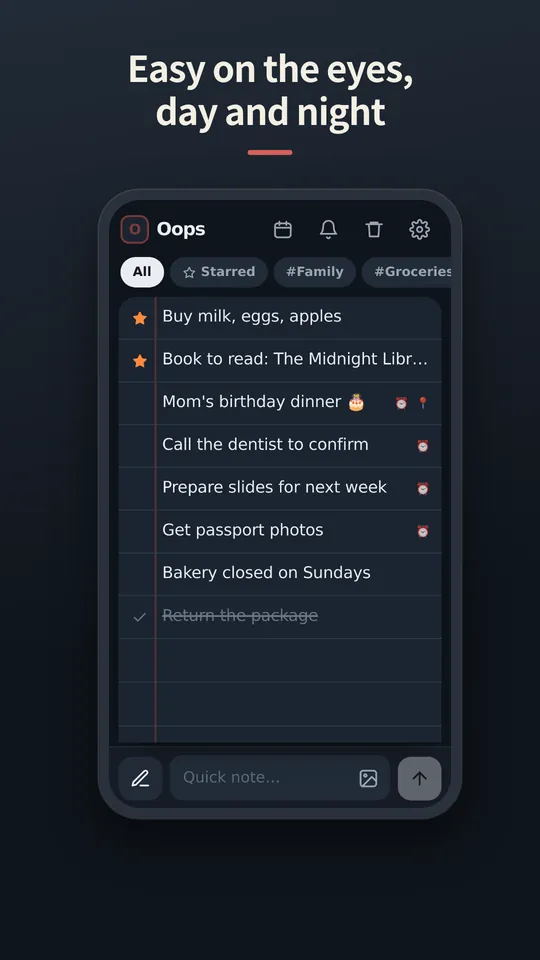
Guarda l'app
Le schermate in italiano arrivano presto. Per ora in inglese.
Coming soon
Wrapping up, Pro included. We'll write the date here first — we're a notes app, after all.
We've started building it. We'll share a date once we're sure.