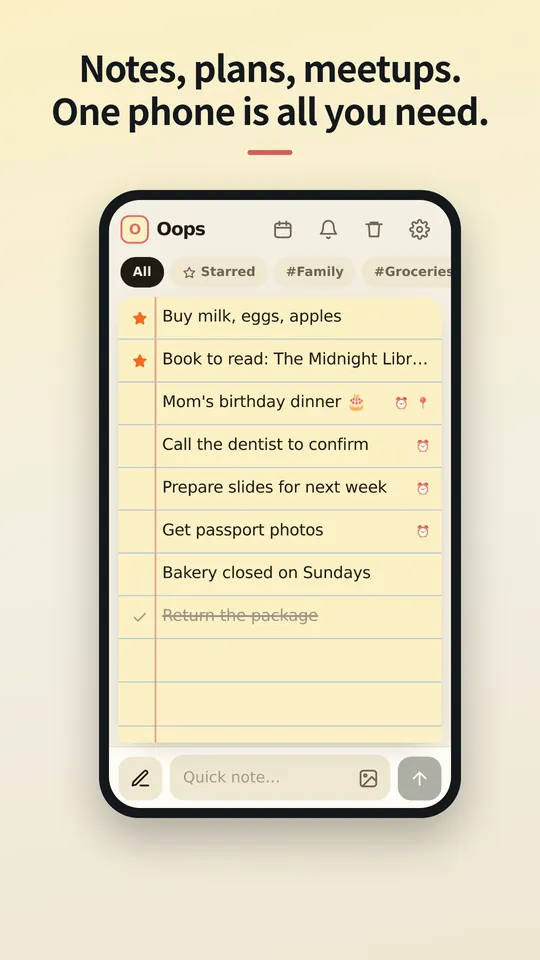
Nota, rancangan, pertemuan. Satu telefon sudah cukup.
Jangan muat naik ke awan. Jangan segerakkan antara peranti. Tempat paling selamat ialah telefon yang sudah ada di tangan anda. Nota dan jadual, rancangan dikongsi dan arah jalan, sandaran dan pemulihan: simpan semuanya dengan OopsMemo, terkunci dalam telefon anda, peti besi anda sendiri.
Versi iPhone akan menyusul tidak lama lagi.
Catat sebaik sahaja terlintas.
Satu bar di bawah melakukan kedua-duanya: taip untuk menambah nota, ketik pen untuk mencari. Apabila papan kekunci dibuka, semuanya naik bersama.
Leret ke kanan untuk bertanda. Leret ke kiri untuk menyilang.
Leret nota yang disilang sekali lagi dan ia masuk ke tong sampah. Berubah fikiran? Leret ke arah bertentangan untuk berundur satu langkah.
Foto tinggal di dalam nota.
Lampirkan foto dari galeri atau tampalkannya. Anda nampak apa yang menunggu sebelum menyimpan, dan satu ketikan membuka mana-mana foto skrin penuh dengan zum cubit.
Disimpan pada telefon anda. Bukan di tempat lain.
Nota dan foto disimpan sebagai fail di dalam aplikasi pada peranti anda. Tiada log masuk dan tiada penyegerakan, jadi tiada apa-apa pada pelayan untuk dibaca sesiapa.
Telefon baharu? Bawa satu fail sahaja.
Eksport fail sandaran, hantar kepada diri sendiri dengan apa-apa cara, dan pulihkan pada telefon baharu. Nota yang dipadam menunggu dalam tong sampah selama 30 hari, kemudian hilang selama-lamanya.
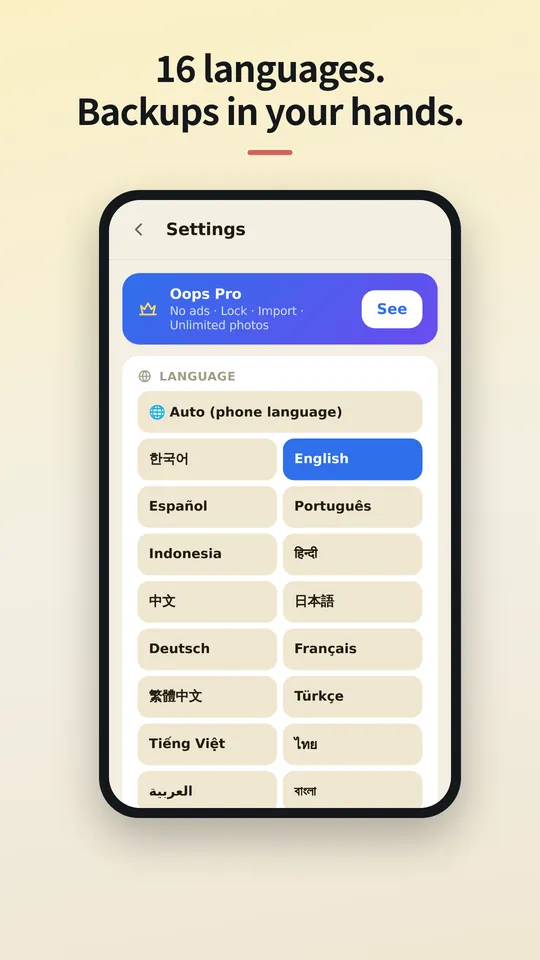
Dalam bahasa anda.
OopsMemo bertutur dalam banyak bahasa dan mengikut bahasa telefon anda. Pilih bahasa anda di sini, atau tukar bila-bila masa dalam aplikasi.
Let us be honest first
- Genuinely usable for free
Notes, photos, categories, search, plan sharing, maps, backup, voice memo, hands-free, up to 5 reminders. No sign-up, no card, no trial that locks you out later.
- There is one ad
One banner at the bottom of the free version. Google uses device info such as the advertising ID to show it. Your notes are never used for ads or sent anywhere.
- Pro buys convenience
No ads · app lock · unlimited reminders. Monthly, yearly or a one-time lifetime purchase, priced in your store. Only if you like it.
- The only times it goes online
Ads (free version), purchase check, finding a place on the map, speech-to-text (your phone’s speech service), feedback (only when you send it). There is no server for notes at all.
- Doubt it? Use airplane mode
Writing, search, photos, reminders and backup all keep working. Speech-to-text and maps may need a connection.
- The flip side
There is no cloud copy. If you lose your phone, your backup file is the only way back. Please keep one.
- Hands-free differs a little by phone
Hands-free uses your phone’s own speech recognition, so when it starts listening and how long it waits vary by device, and the app can’t control that. Have an idea to make it better? Send it via Support › Send feedback. Any language is welcome, and we read every message. Friends around the world, we’d love your help.



The cloud you once agreed to — do you know what it still keeps, and for how many years?
OopsMemo never uploads anything in the first place. Your notes live only on your phone.
No need to open the app. Right from your home screen.
With one home screen widget, you jot it down the moment it comes to mind. Just three buttons.
- One widget on your home screen
No hunting for the app. The widget has three buttons: new note · 🎤 · 🎧. There is also a widget that shows your upcoming plans.
- + New note: write right away
Tap it and a new note opens, ready to write. Type, close, done.
- 🎤 Voice memo: free for everyone
Tap and speak; it is written down as text. For busy hands or ideas on the go.
- 🎧 Hands-free: no need to look
A voice asks, you answer, and the note is saved with its reminder time. Free for everyone.
- How to add the widget
Long-press an empty spot on your home screen → Widgets → OopsMemo → drop it where you like. Menu names vary a little by phone.
Free. The only ad is one strip at the very bottom.
Everything you need for notes is free. Here is exactly where the ad shows, and where it never does.
- At the bottom, and only there
The free version has one banner strip at the very bottom of the screen. The app moves up by its height, so it never covers your notes or the input bar.
- It disappears while you type
Tap the input bar and the keyboard comes up: the ad hides. There is no ad on the lock screen or the map either.
- Nothing ever covers your screen
Ads that pop up mid-task are the worst. OopsMemo has none of these:
- No full-screen ads
- No videos you must watch to continue
- No ads when the app opens
- No ads in reminders or widgets
- A small favor for the maker
The ad sits only where it will not get in your way. Please bear with it so the app can keep improving. Do not want ads? Pro removes them instantly.
Percuma
Sentiasa percuma
- Nota dan carian tanpa had
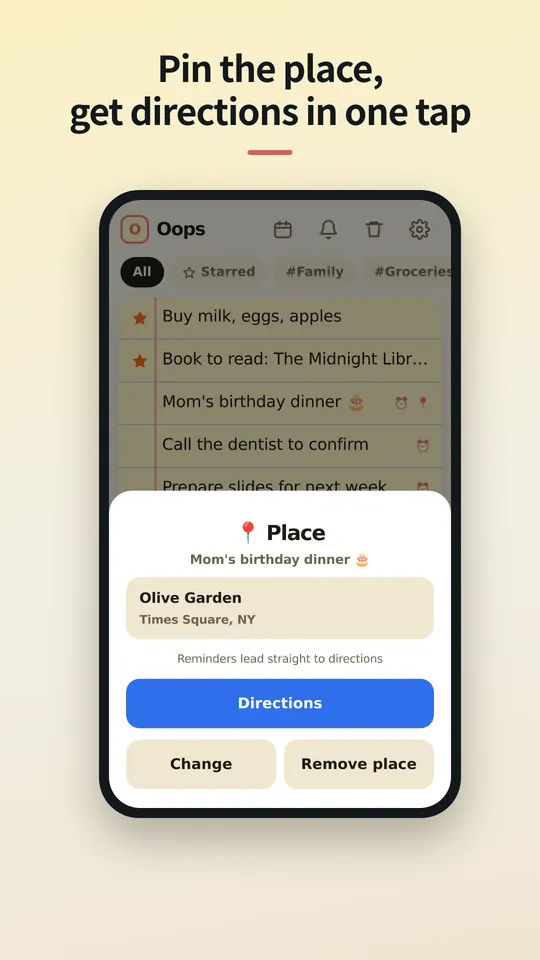
- Kongsi melalui pautan dan arah jalan dengan satu ketikan
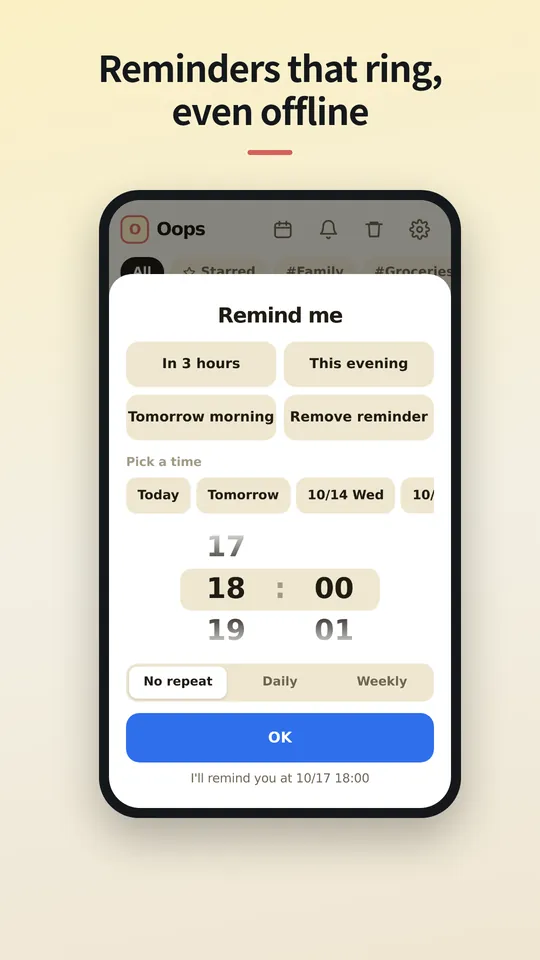
- Sehingga 5 peringatan, sejarah pemberitahuan 24 jam
- Import tanpa had daripada aplikasi memo lain
- Foto dan kategori tanpa had
- Sandaran dan pemulihan
- Nota suara dan mod tanpa tangan (telefon; PC menyusul)
Pro
Bulanan, tahunan atau seumur hidup, dengan harga untuk negara anda di kedai aplikasi anda.
- Tiada iklan
- Peringatan tanpa had dan sejarah pemberitahuan penuh
- Kunci aplikasi dengan PIN
- Pilih berapa lama tong sampah menyimpan nota
Soalan
Di manakah nota saya disimpan?
Hanya pada telefon anda, dalam storan aplikasi itu sendiri. Jika anda menyahpasang aplikasi, nota turut hilang, jadi eksport sandaran dahulu.
Adakah orang yang saya kongsi perlu ada aplikasi?
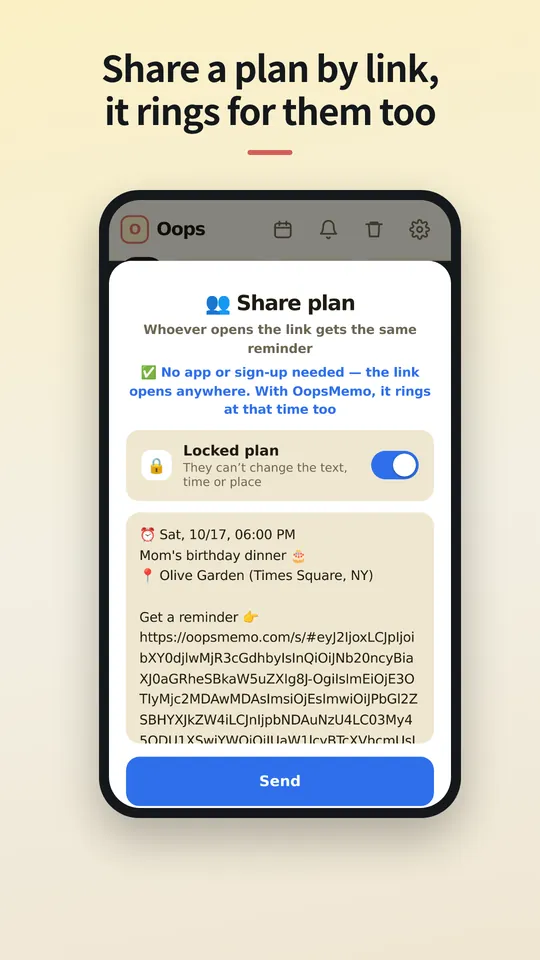
Tidak. Pautan dibuka dalam mana-mana pelayar, di mana mereka boleh melihat masa dan tempat, menambahkannya ke kalendar dan mendapatkan arah jalan. Jika mereka ada OopsMemo, peringatan berbunyi pada telefon mereka pada masa yang sama.
Adakah saya perlukan akaun?
Tidak. Pro terikat pada akaun kedai tempat anda membelinya (Google Play atau App Store) dan kembali pada telefon baharu. Oleh sebab tiada log masuk, Pro Android dan Pro iPhone tidak boleh dipindahkan antara satu sama lain.
Kenapa ada iklan?
Satu sepanduk kecil mengekalkan OopsMemo percuma untuk semua orang. Pro membuangnya.
Bolehkah saya bawa nota daripada aplikasi lain?
Boleh. OopsMemo membaca fail eksport yang dihasilkan kebanyakan aplikasi memo: teks, CSV, JSON, Evernote (ENEX) dan ZIP. Percuma, tanpa had.
Adakah ada versi iPhone?
Tidak lama lagi. Kami sedang menyiapkannya, termasuk Pro.
Lihat aplikasinya
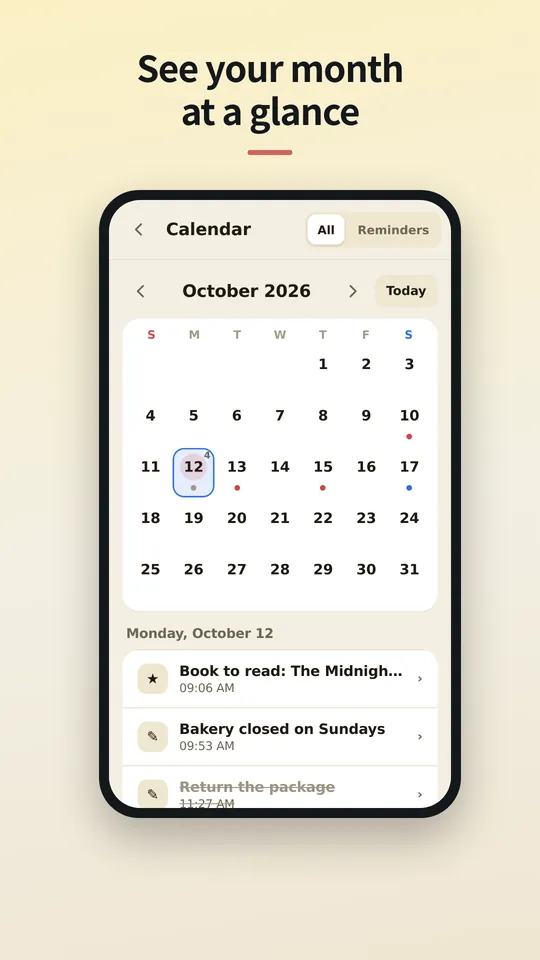
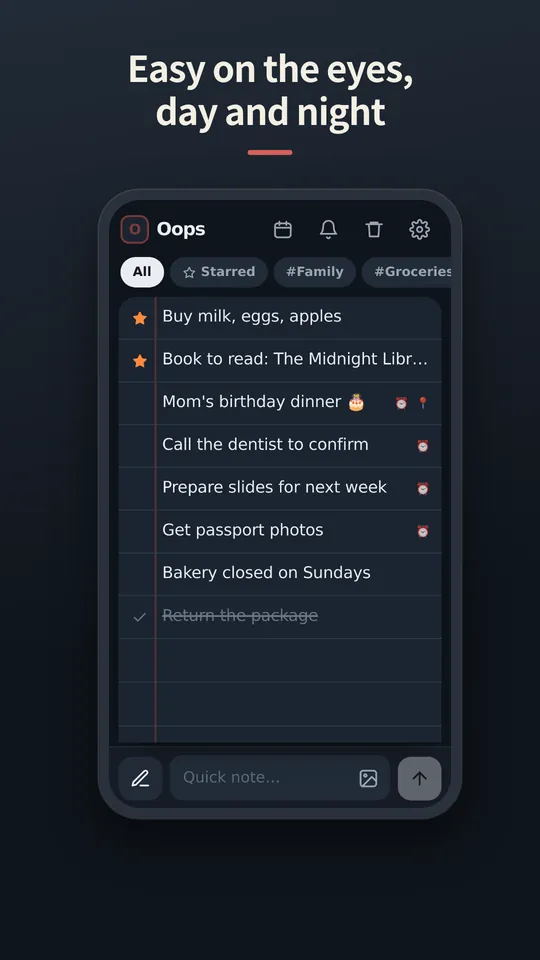
Skrin dalam Bahasa Melayu akan menyusul. Buat masa ini dalam bahasa Inggeris.
Coming soon
Wrapping up, Pro included. We'll write the date here first — we're a notes app, after all.
We've started building it. We'll share a date once we're sure.