Notities, plannen, afspraken. Eén telefoon is genoeg.
Zet ze niet in de cloud. Synchroniseer ze niet tussen apparaten. De veiligste plek is de telefoon die je al in je hand hebt. Notities en agenda's, gedeelde plannen en routes, back-up en herstel: bewaar alles met OopsMemo, opgesloten in je telefoon, je eigen kluis.
De iPhone-versie komt binnenkort.
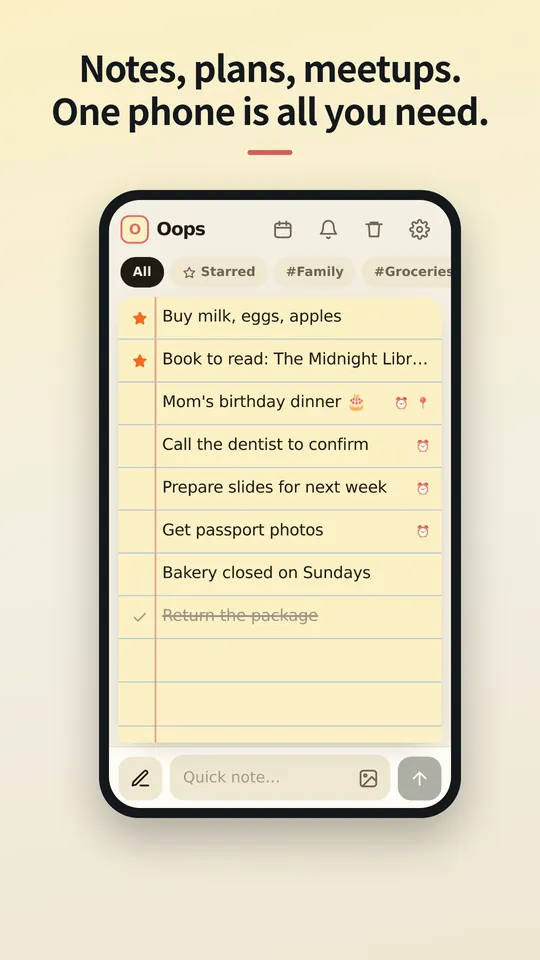
Schrijf het op zodra het in je opkomt.
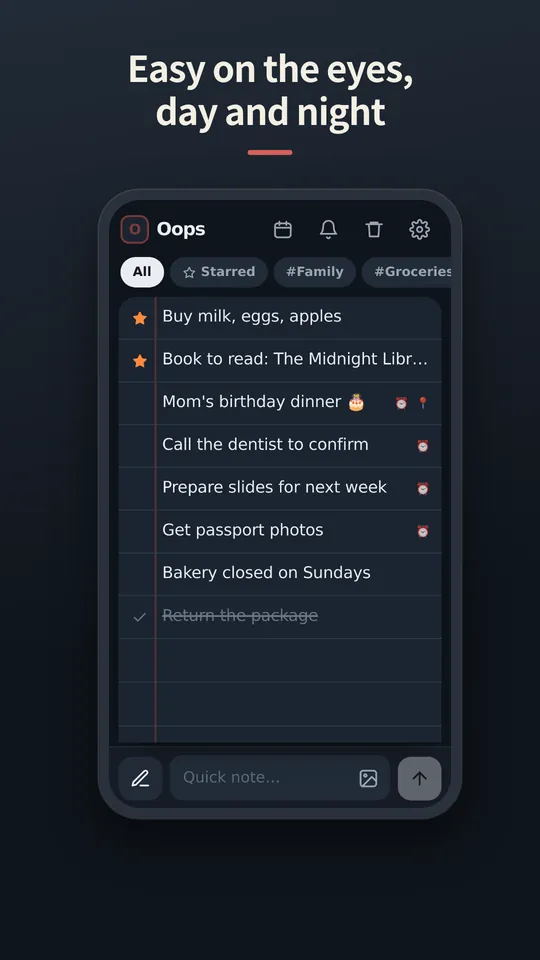
Eén balk onderaan doet beide: typ om een notitie toe te voegen, tik op de pen om te zoeken. Als het toetsenbord opent, schuift alles mee omhoog.
Veeg naar rechts voor een ster. Veeg naar links om door te strepen.
Veeg een doorgestreepte notitie nog eens en hij gaat naar de prullenbak. Bedacht je je? Veeg de andere kant op om een stap terug te gaan.
Foto's horen bij de notitie.
Voeg foto's toe uit je galerij of plak ze erin. Je ziet wat klaarstaat voordat je het plaatst, en met een tik opent elke foto schermvullend met knijpzoom.
Opgeslagen op je telefoon. Nergens anders.
Notities en foto's worden als bestanden in de app op je apparaat bewaard. Er is geen inlog en geen synchronisatie, dus er staat niets op een server dat iemand kan lezen.
Nieuwe telefoon? Neem één bestand mee.
Exporteer een back-upbestand, stuur het naar jezelf op een manier die je bevalt en herstel het op de nieuwe telefoon. Verwijderde notities wachten 30 dagen in de prullenbak en zijn dan voorgoed weg.
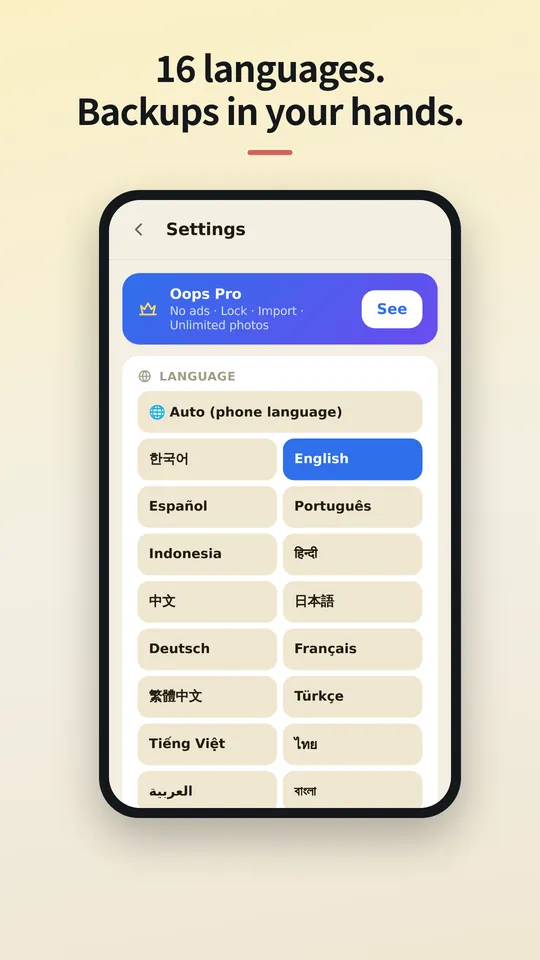
In jouw taal.
OopsMemo spreekt veel talen en volgt de taal van je telefoon. Kies hier de jouwe, of wijzig hem altijd in de app.
Let us be honest first
- Genuinely usable for free
Notes, photos, categories, search, plan sharing, maps, backup, voice memo, hands-free, up to 5 reminders. No sign-up, no card, no trial that locks you out later.
- There is one ad
One banner at the bottom of the free version. Google uses device info such as the advertising ID to show it. Your notes are never used for ads or sent anywhere.
- Pro buys convenience
No ads · app lock · unlimited reminders. Monthly, yearly or a one-time lifetime purchase, priced in your store. Only if you like it.
- The only times it goes online
Ads (free version), purchase check, finding a place on the map, speech-to-text (your phone’s speech service), feedback (only when you send it). There is no server for notes at all.
- Doubt it? Use airplane mode
Writing, search, photos, reminders and backup all keep working. Speech-to-text and maps may need a connection.
- The flip side
There is no cloud copy. If you lose your phone, your backup file is the only way back. Please keep one.
- Hands-free differs a little by phone
Hands-free uses your phone’s own speech recognition, so when it starts listening and how long it waits vary by device, and the app can’t control that. Have an idea to make it better? Send it via Support › Send feedback. Any language is welcome, and we read every message. Friends around the world, we’d love your help.



The cloud you once agreed to — do you know what it still keeps, and for how many years?
OopsMemo never uploads anything in the first place. Your notes live only on your phone.
No need to open the app. Right from your home screen.
With one home screen widget, you jot it down the moment it comes to mind. Just three buttons.
- One widget on your home screen
No hunting for the app. The widget has three buttons: new note · 🎤 · 🎧. There is also a widget that shows your upcoming plans.
- + New note: write right away
Tap it and a new note opens, ready to write. Type, close, done.
- 🎤 Voice memo: free for everyone
Tap and speak; it is written down as text. For busy hands or ideas on the go.
- 🎧 Hands-free: no need to look
A voice asks, you answer, and the note is saved with its reminder time. Free for everyone.
- How to add the widget
Long-press an empty spot on your home screen → Widgets → OopsMemo → drop it where you like. Menu names vary a little by phone.
Free. The only ad is one strip at the very bottom.
Everything you need for notes is free. Here is exactly where the ad shows, and where it never does.
- At the bottom, and only there
The free version has one banner strip at the very bottom of the screen. The app moves up by its height, so it never covers your notes or the input bar.
- It disappears while you type
Tap the input bar and the keyboard comes up: the ad hides. There is no ad on the lock screen or the map either.
- Nothing ever covers your screen
Ads that pop up mid-task are the worst. OopsMemo has none of these:
- No full-screen ads
- No videos you must watch to continue
- No ads when the app opens
- No ads in reminders or widgets
- A small favor for the maker
The ad sits only where it will not get in your way. Please bear with it so the app can keep improving. Do not want ads? Pro removes them instantly.
Gratis
Altijd gratis
- Onbeperkt notities en zoeken
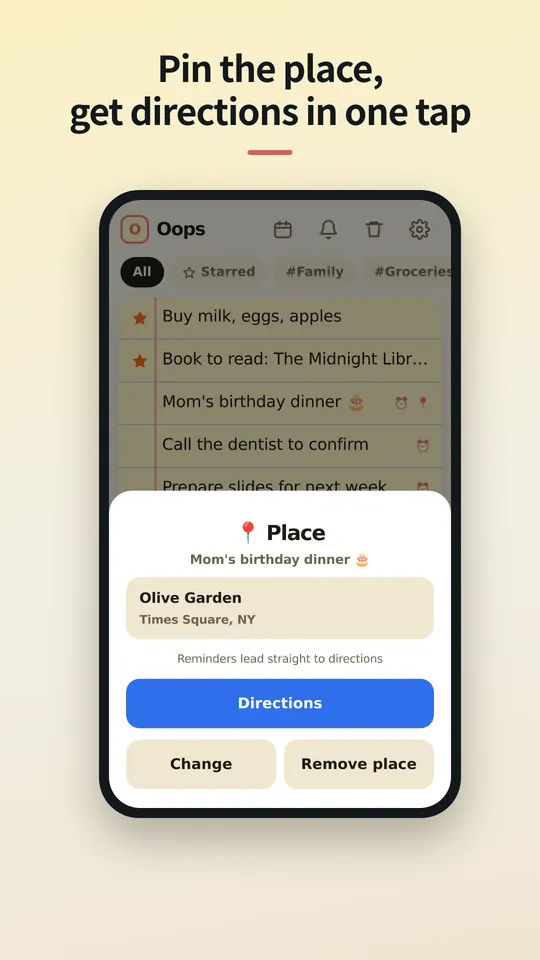
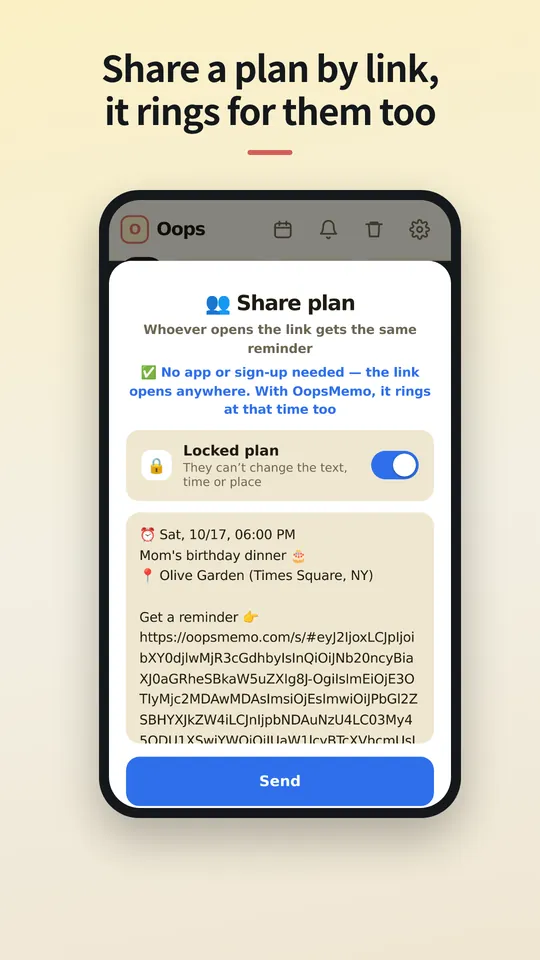
- Delen via een link en routebeschrijving met één tik
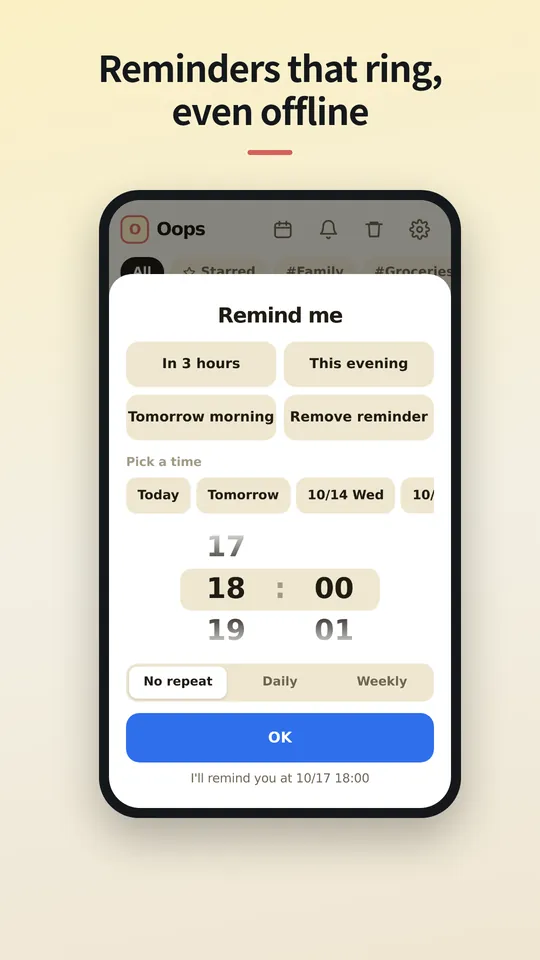
- Tot 5 herinneringen, meldingsgeschiedenis van 24 uur
- Onbeperkt importeren uit andere notitie-apps
- Onbeperkt foto's en categorieën
- Back-up en herstel
- Spraaknotities en handsfree (telefoon; pc volgt)
Pro
Maandelijks, jaarlijks of voor altijd, met een prijs voor jouw land in jouw appstore.
- Geen advertenties
- Onbeperkt herinneringen en volledige meldingsgeschiedenis
- Appvergrendeling met pincode
- Kies hoe lang de prullenbak notities bewaart
Vragen
Waar worden mijn notities opgeslagen?
Alleen op je telefoon, in de eigen opslag van de app. Als je de app verwijdert, gaan de notities mee, dus exporteer eerst een back-up.
Heeft degene met wie ik deel de app nodig?
Nee. De link opent in elke browser, waar ze tijd en plaats zien, het aan hun agenda kunnen toevoegen en een route krijgen. Heeft diegene OopsMemo, dan gaat de herinnering op hetzelfde moment af op de telefoon.
Heb ik een account nodig?
Nee. Pro is gekoppeld aan het account van de winkel waar je het kocht (Google Play of App Store) en komt terug op een nieuwe telefoon. Omdat er niet wordt ingelogd, kun je Android Pro en iPhone Pro niet naar elkaar overzetten.
Waarom is er een advertentie?
Eén kleine banner houdt OopsMemo gratis voor iedereen. Pro haalt hem weg.
Kan ik notities uit andere apps meenemen?
Ja. OopsMemo leest de exportbestanden van de meeste notitie-apps: tekst, CSV, JSON, Evernote (ENEX) en ZIP. Gratis en zonder limiet.
Is er een iPhone-versie?
Binnenkort. We werken hem af, inclusief Pro.
Bekijk de app
Schermen in het Nederlands volgen snel. Voorlopig in het Engels.
Coming soon
Wrapping up, Pro included. We'll write the date here first — we're a notes app, after all.
We've started building it. We'll share a date once we're sure.